settings · wood composite · cutting + engraving
MDF Cutting and Engraving Settings (10W–40W Diode Lasers)
On a 20W diode laser with air assist, cut 3mm MDF at 100% power, 480 mm/min, 2–3 passes. MDF cuts and engraves predictably, but the urea-formaldehyde resin binders release formaldehyde gas during cutting — proper ventilation is non-negotiable. Settings anchored on xTool D1 Pro 20W and Sculpfun S30 Pro Max official data; other wattages normalized via the Laser Tinkerer Energy Index.
- Cutting EI: 0.75–0.90 J/mm for 3mm MDF — similar to thick plywood; denser binders absorb efficiently
- MDF engraves more uniformly than solid wood — no grain direction effects
- High smoke generation: use maximum ventilation + air assist on every cut
- MDF edges char black — normal, but carbon residue can be sanded, painted, or sealed after cutting
3mm MDF cuts at 100% power, 480 mm/min, 2–3 passes on a 20W diode laser — always with extraction running. — Laser Tinkerer, 2026
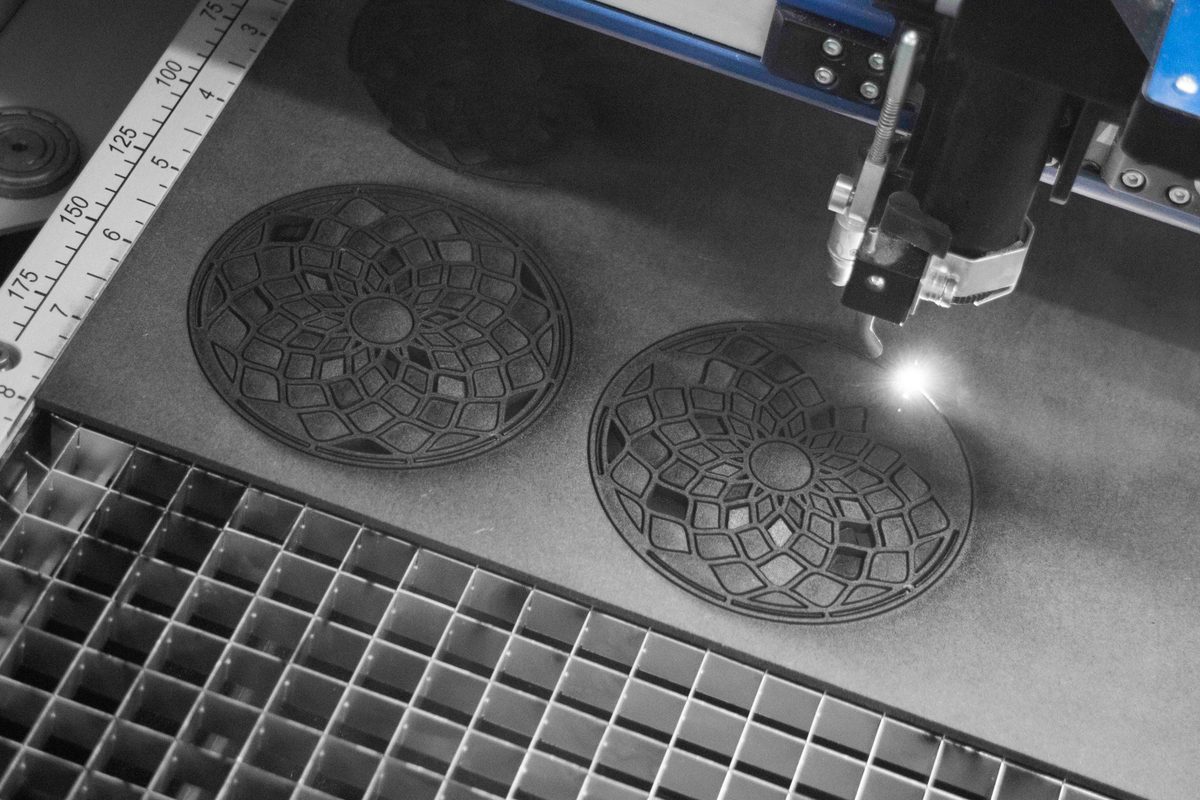
What laser settings cut 3mm MDF on a diode laser?
| machine class | speed (mm/min · mm/s) | power | passes | EI (J/mm) | air assist | source |
|---|---|---|---|---|---|---|
| 10W | 180 · 3.0 | 100% | 3–4 | 1.00 | required | |
| 20W ★ | 480 · 8.0 | 100% | 2–3 | 0.75 | required | xTool D1 Pro 20W + Sculpfun S30 Pro Max |
| 33W | 600 · 10.0 | 90% | 2 | 0.81 | required | |
| 40W | 800 · 13.3 | 90% | 2 | 0.81 | required |
How do laser settings change for 6mm MDF?
6mm MDF requires roughly double the passes compared to 3mm — the extra formaldehyde-resin binder density means more material to vaporize per millimetre of depth. On a 20W machine, the starting point is 100% power, 240–300 mm/min, 5–7 passes. At this thickness, a higher-wattage module (33W–40W) becomes significantly more practical — the per-pass cut depth scales with peak power, so a 40W machine can clear 6mm in 3–4 passes versus 5–7 at 20W.
The table below shows starting-point estimates derived from the 3mm anchor data using the Laser Tinkerer Energy Index. No independent published source for 6mm MDF on diode lasers was found, so all rows carry low confidence. Treat these as a starting zone — confirm with a material test grid before any production run.
| thickness | speed (mm/min · mm/s) | power | passes | source / confidence |
|---|---|---|---|---|
| 3 mm ★ | 480 · 8.0 | 100% | 2–3 | xTool + Sculpfun mfr (A) — verified |
| 6 mm | 240–300 · 4.0–5.0 | 100% | 5–7 |
For 6mm work, air assist is not optional — it is the difference between cutting and scorching. Formaldehyde release also scales with the volume of material being processed, so extended 6mm cutting sessions require better extraction than occasional 3mm jobs. If your machine is 10W, 6mm MDF is near the practical limit: expect 10–14 passes at 100% power, and batch variation in the resin distribution can cause inconsistency even within a single sheet. Use a material test grid first — set power fixed at 100% and vary speed from 150 to 350 mm/min in five steps to find your specific machine's cut point cleanly.
What laser settings engrave MDF surface?
MDF engraves very uniformly — more so than solid wood — because there is no grain direction. The flat, dense surface gives consistent mark depth and width. Target EI ≈ 0.12–0.15 J/mm for a clear dark engrave without charring. Same fume cautions apply; ventilate as for cutting.
| machine class | speed (mm/min · mm/s) | power | passes | EI (J/mm) | source |
|---|---|---|---|---|---|
| 10W | 3,000 · 50.0 | 60% | 1 | 0.120 | |
| 20W ★ | 6,000 · 100.0 | 60% | 1 | 0.120 | xTool D1 Pro 20W guide |
| 40W | 6,000 · 100.0 | 30% | 1 | 0.120 |
FAQ
Is MDF safe to laser cut at home? Only with proper ventilation — not a window fan, but ducted extraction to outside or a laser-rated fume extractor with HEPA + activated carbon. Formaldehyde released during cutting is a serious long-term health hazard. Short occasional sessions with maximum ventilation are less risky; frequent or extended cutting requires a proper extraction setup.
Does MDF thickness matter for settings? Significantly. The table above covers 3mm MDF. For 6mm MDF on a 20W machine, you may need 5–7 passes at the same speed, or reduce speed to 240–300 mm/min and increase passes proportionally. Use the test-grid tool to dial in thicker stock.
Why does MDF produce more smoke than solid wood? The resin binders in MDF combustion at lower temperatures than wood cellulose and produce a heavier, more irritating smoke. MDF also has more surface area due to the fiber structure, leading to more complete combustion of the binder. Always treat MDF cutting as a higher-fume operation than comparable solid wood cutting.
Gear that makes a real difference for MDF
- Laser-rated fume extractor A window fan is not sufficient for MDF. You need an extractor with HEPA + activated carbon to capture formaldehyde vapour and fine particles. This is the most important safety upgrade for regular MDF work. Search for laser fume extractors on Amazon ↗
- Air assist pump A focused airstream at the cut zone clears smoke from the kerf mid-cut, dramatically improving cut quality and reducing char on MDF — which is particularly prone to edge scorching. Search for laser air assist pumps on Amazon ↗
- Laser-safe MDF sheets Standard MDF has higher formaldehyde resin content. Laser-safe or low-formaldehyde MDF (sometimes labelled "E0" or "HDF") cuts cleaner and produces less toxic smoke. Search for laser-safe MDF sheets on Amazon ↗
As an Amazon Associate I earn from qualifying purchases.